DOTYWRT OpenWrt Builder
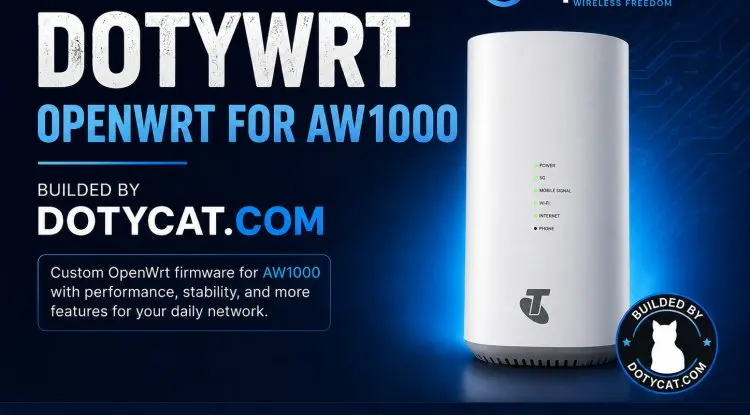
DOTYWRT is a custom OpenWrt firmware project by Dotycat.com, built especially for the Arcadyan AW1000 router. It is designed for users who want more control, better modem support, useful LuCI applications, and a cleaner interface than standard factory firmware.
The Arcadyan AW1000 is powered by the Qualcomm IPQ807x platform, making it a capable device for high-speed internet, Wi-Fi networking, USB modem usage, and advanced home or small-office networking.
Built for Arcadyan AW1000
DOTYWRT firmware is configured specifically for the Arcadyan AW1000 device profile. This helps ensure that the firmware includes the correct target settings, kernel modules, storage layout support, and networking components needed for the device.
Instead of installing many packages manually after flashing, DOTYWRT prepares commonly used features directly in the firmware build.
Key Features
DOTYWRT focuses on practical features for daily use:
- OpenWrt-based firmware for Arcadyan AW1000
- LuCI web interface with custom DOTYWRT branding
- Optimized packages and useful networking tools
- USB modem and QMI modem support
- Custom modem management pages through QModem, QMLite, and DOTY applications
- 4G and 5G modem controls including SIM management, network selection, band lock, and modem reboot
- ZRAM swap support to improve memory handling
- Malaysia timezone and NTP server configuration
- Useful command-line tools for diagnostics and system management
- Support for advanced VPN and proxy packages when included in the build
- Cleaner and more user-friendly interface for modem and network configuration
Modem-Friendly OpenWrt Experience
One of the main goals of DOTYWRT is to make USB modem management easier.
Users can manage compatible modem devices through LuCI without relying only on SSH commands. Depending on the modem and installed package, the interface can provide information such as signal strength, SIM status, operator name, network mode, IP address, cell information, supported bands, and connection controls.
DOTYWRT is suitable for users running LTE or 5G modules such as Quectel, RM series modules, Fibocom modules, and other supported QMI-based modem devices.
Pre-Installed LuCI Applications and Features
DOTYWRT includes selected LuCI applications and custom tools for easier router, modem, and system management on Arcadyan AW1000.
Custom DOTYWRT LuCI Applications
- QMLite – Lightweight modem management interface for supported USB 4G and 5G modems.
- DOTY Status Center – Central dashboard for viewing router, network, modem, and system status.
- DOTY Toggle Controls – Quick on/off controls for selected system and modem functions.
- DOTY Modem – Advanced modem configuration including dial mode, network preference, SIM management, band lock, and modem reboot.
- CPU Frequency Control – Manage and monitor CPU frequency settings for performance or power-saving configurations.
- LED Management – Configure supported device LEDs and status indicators.
- Network and Diagnostic Tools – Useful tools for checking connection status, interfaces, routing, logs, and system information.
Pre-Installed VPN and Proxy Applications
DOTYWRT can include popular OpenWrt VPN and proxy applications directly in the firmware image:
- PassWall
- PassWall2
- V2RayA
- OpenClash
These applications provide flexible support for proxy, VPN, rule-based routing, subscription management, and advanced network traffic control. Availability and supported protocols may depend on the selected firmware build and package versions.
Full Kernel Module Support
DOTYWRT is built with extensive hardware and driver support by enabling:
- All Kernel Modules (
CONFIG_ALL_KMODS) - All Non-Shared Packages (
CONFIG_ALL_NONSHARED)
This approach provides broader compatibility for USB devices, modem drivers, network adapters, storage devices, wireless components, tunneling protocols, and other hardware modules.
Because all kernel modules and non-shared packages are included, the firmware image may be larger than a minimal OpenWrt build. However, it gives advanced users more flexibility and reduces the need to install extra drivers manually after flashing.
DOTYWRT Installation for Donor Users
DOTYWRT firmware installation is available for approved donor users only.
File size : 41MB
Version : REV 1.0
Connect to your Arcadyan AW1000 router through SSH, then run the command below:
sh -c "$(wget -qO- https://api.dotycat.com/doty)" -- 0f551c9f2d9e0f57d59a843bf48ca202494927a6cef47003
The installer will download and install the DOTYWRT firmware linked to the specified Firmware ID.
Important: This firmware is designed specifically for the Arcadyan AW1000. Ensure your router model is correct, use a stable power supply, and do not interrupt the installation or flashing process.
DOTYWRT donor firmware may include pre-installed applications such as QMLite, DOTY Status Center, DOTY Modem, CPU Frequency Control, PassWall, PassWall2, V2RayA, OpenClash, full kernel module support, and all non-shared packages.
Default Login and Wi-Fi Details
After DOTYWRT installation is complete, connect to the router using the details below.
| Setting | Default Value |
|---|---|
| LuCI Login URL | http://192.168.1.1 |
| Username | root |
| Login Password | password |
| Wi-Fi Name (SSID) | DOTYWRT 5G/4G |
| Wi-Fi Password | dotycat.com |
Open a web browser and visit http://192.168.1.1 to access the DOTYWRT LuCI interface.
For security, change the default router login password and Wi-Fi password immediately after the first login.
Conclusion
DOTYWRT gives the Arcadyan AW1000 a more powerful and flexible OpenWrt experience, with modem-focused tools, custom LuCI applications, advanced VPN support, and broad hardware compatibility.
Built by Dotycat.com, DOTYWRT is designed for users who want more control over their router, 4G or 5G modem, network performance, and installed services without needing to configure everything manually.
For approved donor users, the firmware installer provides a simple way to deploy the selected DOTYWRT build directly to a supported Arcadyan AW1000 device. Always confirm your router model, back up important settings, and keep the device powered during installation.